
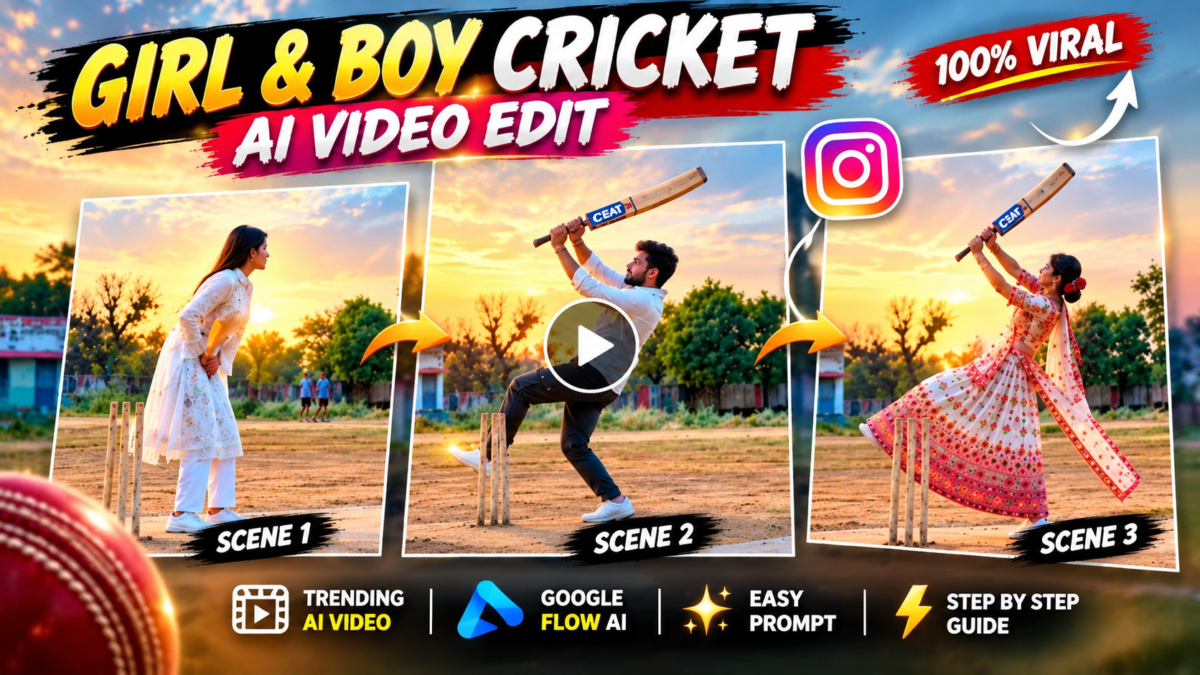
Cricket lovers ke liye AI video editing ka ek exciting trend hai Cricket Shot AI Video Editing. Ab aap apni normal photo ko ek cinematic cricket batting video mein transform kar sakte hain. Google Flow AI ki madad se aap aisa video create kar sakte hain jisme aap professional cricketer ki tarah stadium mein powerful cricket shot lagate hue nazar aayenge.
Is article mein hum jaanenge ki Cricket Shot AI Video Editing Prompt kaise use karein, Google Flow AI se realistic cricket video kaise banayein aur Instagram Reels ya YouTube Shorts ke liye video ko kaise ready karein.
What Is Cricket Shot AI Video Editing?
Cricket Shot AI Video Editing ek AI-powered video creation technique hai jisme artificial intelligence ki help se kisi photo ko realistic cricket action video mein badla ja sakta hai.
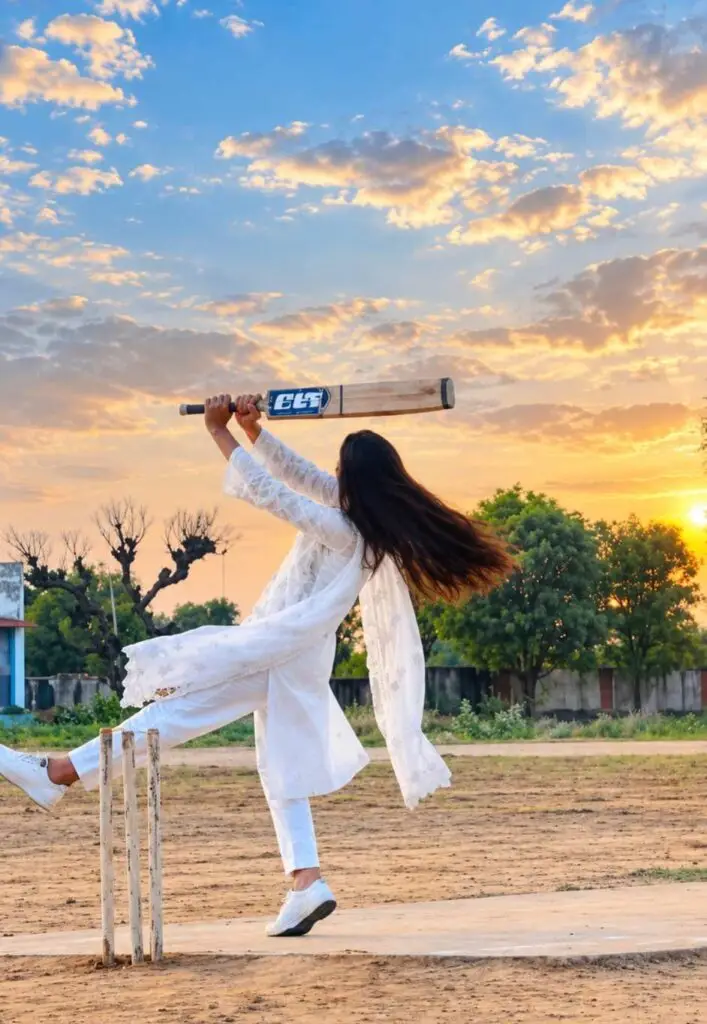
Is editing style mein aap apni photo ko reference ke roop mein use karke batting action, cricket stadium, dramatic camera movement aur slow-motion cricket shots generate kar sakte hain.
Is video mein aapko kuch interesting effects dekhne ko mil sakte hain:
- Realistic cricket batting animation
- Cinematic slow-motion cricket shot
- Professional cricket stadium background
- Dynamic camera movement
- Natural cricket bat and ball movement
- Stadium floodlights and crowd atmosphere
- Vertical 9:16 Instagram Reels video
AI-generated results photo quality aur prompt ke according alag ho sakte hain.
Cricket Shot AI Video Editing Prompt (Copy and Paste)
 Available on Google Play
Main Cricket Shot AI Prompt
Create an ultra-realistic cinematic cricket batting video using the uploaded reference image as the main character. Preserve the person’s original facial identity, facial features, skin tone, hairstyle, and natural appearance as accurately as possible.
The person is standing confidently on a professional cricket ground, wearing a stylish cricket jersey, cricket trousers, protective batting pads, gloves, and sports shoes while holding a realistic wooden cricket bat.
A professional fast bowler delivers a cricket ball toward the batsman. The batsman carefully watches the approaching ball, takes a natural batting stance, and performs a powerful, perfectly timed lofted cricket shot.
Show the cricket bat making realistic contact with the ball, followed by an impressive batting follow-through. The ball flies high toward the stadium boundary while the camera smoothly follows the action.
Add dramatic slow-motion effects at the moment of impact, realistic body movement, natural clothing motion, cinematic camera tracking, and professional sports broadcast visuals.
The background features a massive international cricket stadium filled with spectators, bright floodlights, a beautiful cricket pitch, and an energetic match atmosphere.
Use realistic physics, detailed cricket equipment, natural shadows, cinematic color grading, sharp focus, professional DSLR-style visuals, smooth motion, and high-quality sports cinematography.
Camera movement: Start with a medium shot of the batsman, smoothly move closer during the delivery, capture the batting action from a dynamic side angle, and finish with a dramatic follow-through shot.
Video style: Ultra-realistic, cinematic sports action, natural human movement, realistic cricket physics, high detail, 4K-style quality, vertical 9:16 composition.
Avoid distorted faces, extra fingers, unnatural body movements, incorrect bat positioning, duplicated cricket balls, unrealistic bat contact, and unnecessary scene changes.
How to Create Cricket Shot AI Video Using Google Flow AI
Google Flow AI ka use karke cricket batting video banane ke liye niche diye gaye steps follow karein.
Step 1: Open Google Flow AI
Sabse pehle apne mobile ya computer ke browser mein Google Flow AI ki official website open karein.
Website: https://flow.google/
Apne Google account se sign in karein. Available features aapke account, region aur subscription par depend kar sakte hain.
Step 2: Upload Your Photo
Ab ek clear photo select karein jisme aapka face properly visible ho.
Better results ke liye high-quality photo use karein. Agar possible ho to aisi photo choose karein jisme body posture aur hands clearly visible hon.
Step 3: Select Image-to-Video
Google Flow mein supported image-to-video workflow select karein aur apni reference photo add karein.
Available options model aur account ke according different ho sakte hain.
Step 4: Paste Cricket Shot AI Prompt
Ab upar diya gaya Cricket Shot AI Video Editing Prompt copy karein aur prompt box mein paste kar dein.
Aap cricket jersey, stadium lighting, batting style aur camera angle apni preference ke according customize bhi kar sakte hain.
Step 5: Generate Your AI Cricket Video
Prompt add karne ke baad Generate option par click karein.
Google Flow AI aapke reference image aur instructions ke basis par cricket action video create karne ki koshish karega.
Generation time aur video duration selected model aur available settings par depend karte hain.
Step 6: Download and Edit Your Video
Video generate hone ke baad result preview karein. Agar batting movement natural nahi lag raha hai, to prompt modify karke dobara generate karein.
Final video ko available download option se save karein. Instagram Reels ya YouTube Shorts ke liye aap CapCut ya VN Video Editor mein additional editing kar sakte hain.
Cricket Six Shot AI Video Prompt
Agar aap ek powerful six-hitting cricket video banana chahte hain, to niche diya gaya prompt try karein.
Create a photorealistic cinematic cricket video using the uploaded person’s photo as the identity reference. Show the person standing inside a packed international cricket stadium during a night match. A fast cricket ball approaches, and the batsman performs a powerful lofted six shot with realistic batting technique.
Capture the exact moment when the bat strikes the ball in dramatic slow motion. The camera follows the ball flying high into the night sky above the stadium boundary.
Add bright stadium floodlights, cheering spectators, realistic cricket equipment, smooth camera movement, natural facial expressions, professional sports cinematography, cinematic lighting, and realistic body physics.
Preserve the original facial identity as closely as possible. Create a vertical 9:16 video suitable for Instagram Reels and YouTube Shorts. Avoid unnatural movement, face distortion, duplicated objects, and unrealistic cricket actions.
Best Settings for Cricket AI Video
| Setting | Recommended Option |
|---|---|
| AI Tool | Google Flow |
| Video Style | Cinematic Cricket Action |
| Aspect Ratio | 9:16 Vertical |
| Lighting | Stadium Floodlights |
| Camera | Dynamic Tracking |
| Motion | Natural + Slow Motion |
| Quality | Highest Available |
| Platform | Instagram Reels / YouTube Shorts |
Tips for Creating Realistic Cricket AI Videos
Agar aap chahte hain ki aapka Cricket Shot AI Video professional lage, to kuch important tips follow karein.
Use a Clear Reference Photo: Photo jitni clear hogi, AI ke liye facial details ko follow karna utna easy ho sakta hai.
Keep the Action Simple: Ek short video mein ek hi batting shot generate karne ki koshish karein. Isse action consistency improve ho sakti hai.
Choose Cinematic Camera Angles: Side-angle batting shots aur slow-motion follow-through video ko visually interesting bana sakte hain.
Maintain Realistic Cricket Physics: Prompt mein realistic ball trajectory, bat contact aur natural body movement mention karein.
Use Vertical Video Format: Instagram Reels aur YouTube Shorts ke liye 9:16 format suitable hai.
Frequently Asked Questions (FAQs)
1. Cricket Shot AI Video Editing kya hai?
Cricket Shot AI Video Editing ek AI video creation method hai jisme reference photo aur text prompt ki help se realistic cricket batting video generate kiya ja sakta hai.
2. Google Flow AI se cricket video kaise banayein?
Google Flow open karein, supported image-to-video option select karein, reference photo upload karein, cricket prompt paste karein aur video generate karein.
3. Kya Google Flow AI free hai?
Google Flow mein available access, credits aur paid features account, region aur current Google plans ke according change ho sakte hain. Latest details official website par check karein.
4. Kya mobile se Cricket Shot AI Video bana sakte hain?
Supported mobile browser aur account access ke saath Google Flow use kiya ja sakta hai. Kuch features ya controls device ke according vary kar sakte hain.
5. Kya AI cricket video Instagram par upload kar sakte hain?
Haan, aap apne AI-generated cricket video ko Instagram Reels par share kar sakte hain, provided aapke paas content use karne ke necessary rights hon aur aap platform policies follow karein.
Conclusion
Cricket Shot AI Video Editing Prompt ki help se aap apni ordinary photo ko cinematic cricket batting video mein transform karne ki koshish kar sakte hain.
Google Flow AI mein realistic cricket action, stadium atmosphere, slow-motion batting shots aur dynamic camera movement ke liye detailed prompts use karna helpful ho sakta hai.
Agar aap cricket fan hain aur Instagram Reels ya YouTube Shorts ke liye creative AI videos banana chahte hain, to is Cricket Shot AI Video Editing Prompt ko try kar sakte hain.